.png)
 Andrew Utterback
BY ANDREW UTTERBACK
Opinion Editor / Podcast Producer
Flying is pretty stressful. Luckily, there are a whole host of apps and services aimed at making your trips just a little bit easier. There is one app specially, Flighty, that is quite well-known in the “travel app” space.
With 4.8 stars from nearly 100,000 reviews, Flighty is a flight tracker app that shows you essentially every piece of information regarding your flight – and does so in a wonderfully clean app.
It’s essentially a flying companion that serves different purposes at each stage of your trip.
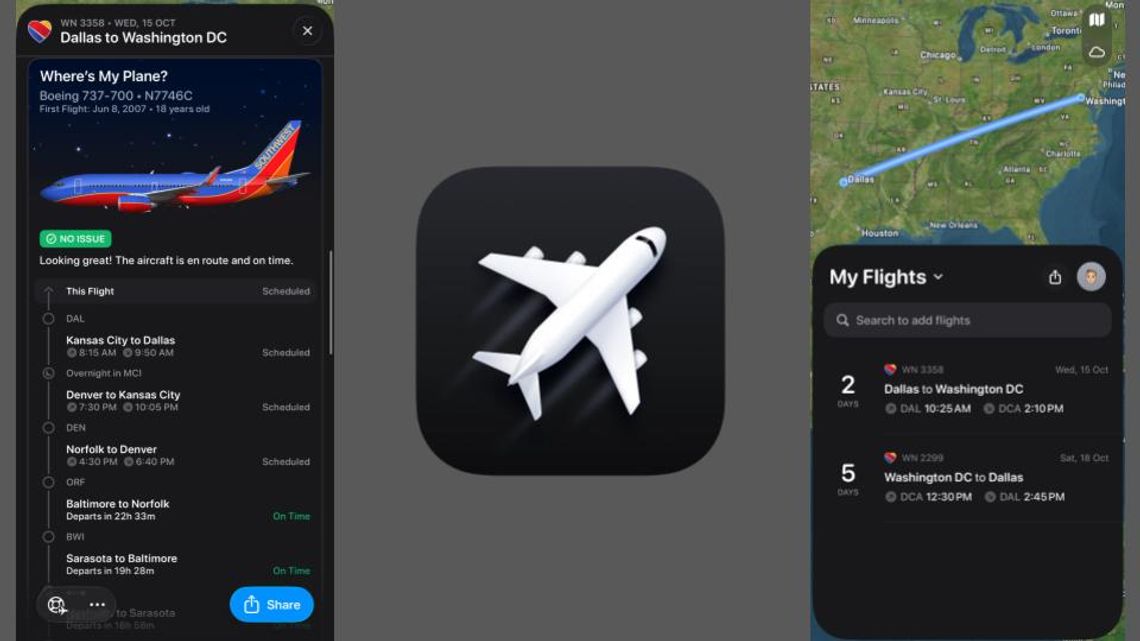
After typing in your flight number, the app shows you a card with your trip details and a countdown timer as your trip date approaches. Around 24 hours before a recent flight to DC, I got a notification telling me to check in, as well as even more information about the flight.
Flighty gathers its data through multiple sources, including a partnership with FlightAware. This means, at a glance, you can check what plane you’ll be on, how old the plane is, where that specific plane will be coming from, etc.
The app also gives extremely quick updates for delays. My return flight was delayed about half an hour, and Flighty sent me that notification before my Southwest app and even beat the airport PA announcement.
All of this data is sent through well-built notifications and displayed in an app that recently got a redesign that puts elements of iOS 26’s Liquid Glass throughout its interface and its live activity.
It’s the live activity and the “day-of-flight” features that make this app worth the Pro subscription for me.
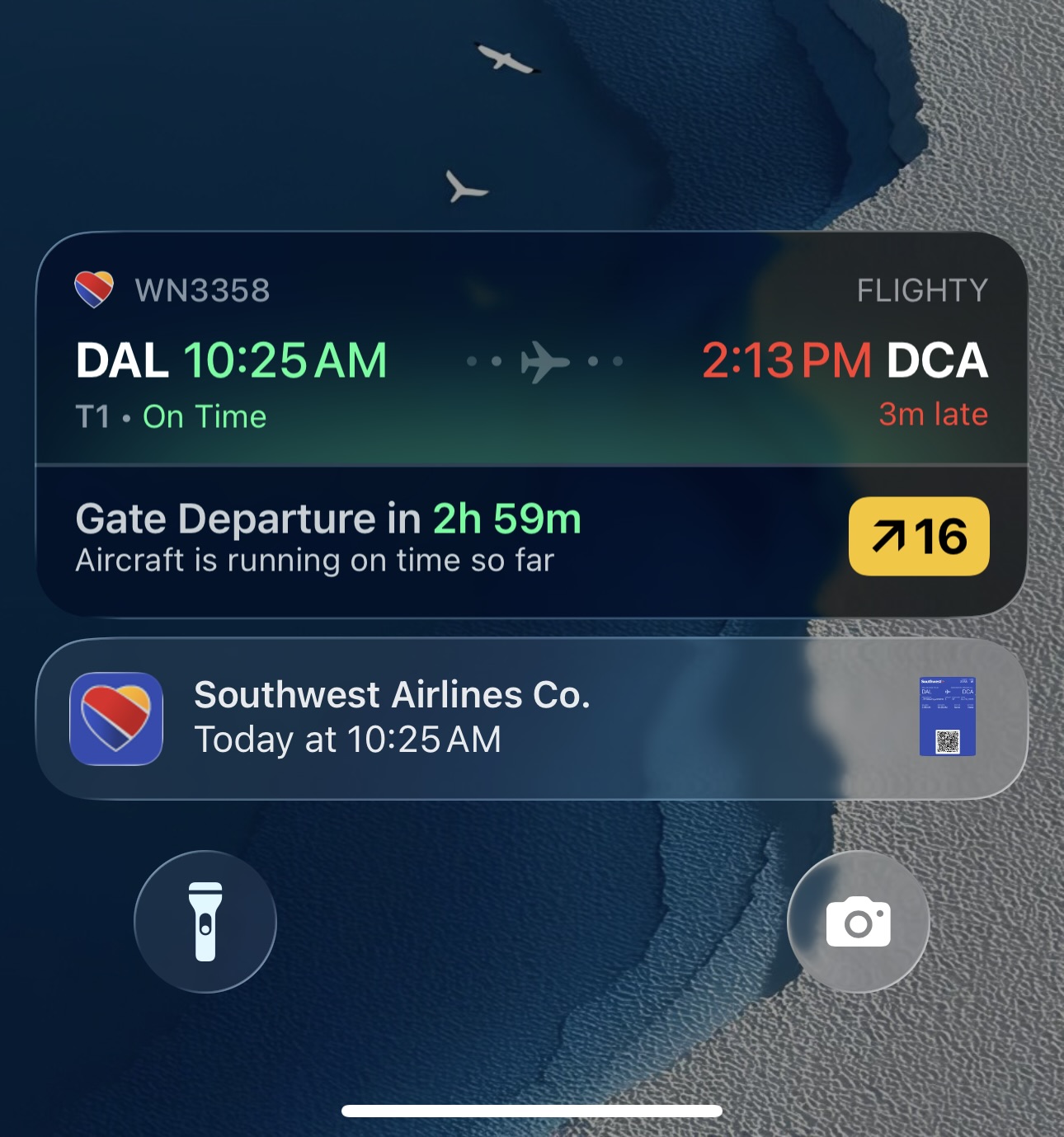
The day of my flight, Flighty sent me a notification saying “Good morning,” followed by my departure time and whether or not I had any delays. For the rest of the day until my flight landed in the afternoon, I had a live activity pinned to my homescreen with my departure and arrival time, as well as gate and terminal number.
It’s convenient to have that all right on your homescreen, and it even showed up as a live activity on my Apple Watch, too. To be fair, there are only so many times you need to check your gate number, but it’s helpful nonetheless.
Around 20 minutes before I got to the airport, I got a notification saying our plane had landed and was on time. Once I made it through the lines, grabbed a $10 water bottle and got settled on the plane, Flighty displayed a flight status tracker on the live activity.
Throughout the flight, the progress line of my flight gradually worked its way across my screen. This progress bar is an estimate based on past flight data, so if you face a delay, the progress bar isn’t all that useful.
Almost right when I landed, I got a notification saying, “Welcome to Washington D.C.,” along with the current weather forecast. It’s the little things.
After your trip, Flighty adds your data to your “All-time Flighty Passport” that shows how many flights you’ve taken and how many miles you’ve traveled. It shows how much time you’ve lost from delays, your most flown aircraft and even lets you friend people in the app to share flight information. In a recent update, they added a flight map that shows you all of the routes you’ve taken.
Speaking of updates, that may be one of Flighty’s biggest strengths. Because the app is so successful and used by so many, bug fixes and general improvements are pushed out quite often and should be for quite some time (until Apple fully Sherlocks it).
On Apple’s App Store, Flighty is an ‘Editor’s Choice,’ the 2023 winner of the Apple Design Awards and a 2023 finalist for ‘App of the Year.’
Most of the features I’ve discussed come with Flighty Pro, the paid version of the app, which can be purchased for $59/year or $5/week for less frequent fliers. A lifetime subscription is also available for a one-time purchase of $299.
A lot of airlines have implemented live activities and notifications like Flighty’s, and iOS 26 even introduced its own native flight tracking activity, but the added features from Flighty paired with the impressively quick updates and passport data make it a well-worth-it app for me.
Comment
Comments