.png)
 Andrew Utterback
BY ANDREW UTTERBACK
Podcast Producer
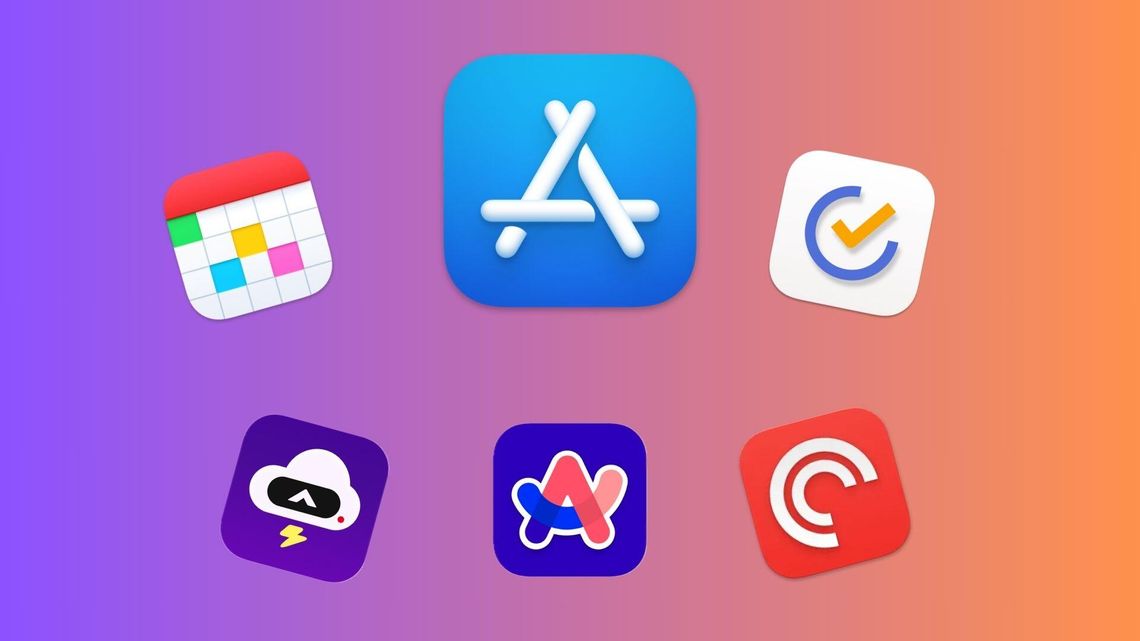
I’ve been an iPhone user since 2017 and I like to think of myself as somewhat of a smartphone power user. (That simply means I use my phone a lot) Most of the iOS stock apps are just fine and fit into my life pretty well, but I’ve found 5 that are definitely worthy of replacing the pre-loaded default.
Fantastical
This is the app I recommend to almost everyone. The iOS default calendar app really isn't all that great (although its saving grace is its app icon that actually shows the date). It works fine for most people and I can’t really blame you for not expanding your calendar app horizon yet, but Fantastical genuinely changes the way you use a calendar in a very meaningful way. The app lets you simply type out all of the information about an event and then automatically fills in all of the information. Lets say you have a “lunch with Bryan at 1:00 next Friday at Chili’s.” You would simply press the “add event” button and then type that exact phrase into the pop up box. It makes it extremely easy to add events quickly without having to press each individual information field and enter the corresponding details.
The default calendar app sort of does this now, but in my experience, it’s nowhere near as smooth.
Fantastical is quick to load, syncs well with all of your calendar accounts and even has a nice little slide up view that shows all of your upcoming events in a scrollable list. Again, the default calendar app may very well be perfectly fine for you, but I tried this app just for a little while and then never looked back.
Price- Free tier and premium tier ($57/year or $7/month)
TickTick
Yes, the default reminders app is just fine. Yes, I have a better one for y’all.
TickTick is so great because it uses the exact same tech as Fantastical. Open the app, tap the “add task” button and just type “Take out trash Thursday 7 p.m." Just like that, your reminder is all set. The default reminders app will do this now, but just like the calendar app, it’s just not as seamless. TickTick lets you share reminder lists, making it a perfect place for my family’s grocery list, and has a host of list features which even include a built-in calendar and pomodoro timer for maximum productivity all in one app.
It also plugs into Siri Shortcuts so you can still set a reminder with your voice. Its reminders widget has earned a place on my homescreen and its lock screen widget shows me my next task to complete. Definitely worth a try for anyone who also relies on their phone for all of their reminders.
Price- Free tier and paid tier ($36/year)
Arc Search
I was a long time believer (and still partially am) that Safari is the best browser if you have an iPhone. It’s simply fast and safe, which are all of the good things. Chrome on iOS always felt clunky to me and I really didn't even consider anything else, until I saw Arc.
Arc came out on MacOS first as an AI startup “cool” browser. It’s literally made by a company called “The Browser Company.” The browser immediately pops the keyboard up when you open the app and when you search, lets you easily select Google or its own AI summary search "engine" as your preferred method.
Choosing Arc’s AI search feature called “Browse for me” will give you an AI generated summary with all of the relevant information it thinks you need, with pictures and links to its sources. It's pretty handy for general research tasks.
The browser has a built-in ad-blocker and cookie pop-up blocker and uses a tab management system that quite closely resembles the app switcher cards on your phone. It's definitely not a great browser for people who keep tabs open in the background, but if you’re like me and can’t leave your browser with tabs open, it’ll be great.
It has a universal swipe-to-go-back feature that works well across all webpages and overall performance is about just as snappy as Safari. The fact that the keyboard quickly pops up upon opening the app was enough for me to try it, and the AI features and just how clean and unintrusive it is earned Arc a spot in my iPhone app dock.
Price- Free
Pocket Casts
When I tell you I’ve tried all of the podcasts apps, I’m not kidding. Apple Podcasts, Spotify, Overcast, Castro, Google Podcasts and probably more I’m forgetting. Even after trying all of these, I always come back to Pocket Casts.
Why? It’s just simple and it just works.
The app loads immediately, updates podcast episodes very fast, has an excellent queue system, great playback controls and a host of customizable settings. It’s not the flashiest app by any means, (definitely not as good looking as Apple Podcasts), but everything from its cross-platform support to its share options, which even let you easily clip a section of the episode you’re listening to, just make it reliable.
I’ve listened to over 550 hours of podcasts on Pocket Casts and it is the app I recommend to every avid podcast listener I know. Plus it even has a “wrapped” at the end of the year just like Spotify.
Price- Free and paid tier ($40/year or $4/month)
Weather
I titled this one “weather” because there are a few options that I like, but also because this portion is essentially a eulogy for Dark Sky, the greatest weather app of all time. Great, very clean, design, scary accurate weather predictions and very good notifications. Dark Sky was purchased by Apple in 2020 and some of its features and design elements were eventually integrated into the stock weather app.
I’ve become less disappointed as time goes on because the stock iPhone weather app is actually very good, but I do also have some favorite alternatives.
The first is CARROT. This is a weather app that reminds me a lot of Dark Sky, mostly design wise. It’s a very clean app with a great, snappy landing page and does a solid job at packaging all of the weather data it has access to. It even has a news feed like the popular Weather Chanel app.
The, well, “interesting” part of CARROT is it has a personality slider that ranges from “Friendly” to “Overkill.” The friendly mode puts a little sentence underneath the temperature at the top of the screen with a slightly joke-y or sweet message. The overkill mode also provides a sentence describing the weather, but in a profanity-filled way I’d best not put into writing. You can even choose the politics of your weather app (what a sentence) with options like “Apolitical,” “communist” and “Alt-right.” Good times.
The other alternative is one that I don't find particularly useful, but is visually quite impressive. It’s called “(Not Boring) Weather” and has a plethora of well-animated weather-corresponding diagrams that greet you upon opening the app. It has won several Apple awards like the Design Award and Editor’s Choice, and it is definitely the most fun weather app to use. Unless you’d like to be insulted while checking the humidity, then CARROT is definitely the way to go.
Comment
Comments